Author Aide API
A user-centric operational framework that tamed prompt drift, latency anxiety, and trust for an enterprise EdTech content authoring tool.
Role: Lead Product Designer (End-to-End UX & AI Operations)
Key Learnings
- Having a core set of partner customers can make or break your product
- Qualitative research in context of AI output needs more time, so real POCs is more effective
- Users are changing the way they expect products to work and what is possible
- Customers don't always know what they want, and today they don't know what is possible
- Quality results will have a higher impact than getting a product out of the door quickly
- Deep domain knowledge, and subject matter expertise is essential to quality outcomes
The Challenge
Blistering Engineering Speed vs. Production Friction
When generative AI capabilities were integrated into our core authoring tool, engineering velocity moved extremely fast. However, dropping an unguided AI chat input or raw prompt box into an enterprise tool creates massive user friction. Content authors working with high-stakes assessments don't want unpredictable AI outputs. They face structural friction points.
At the time of this initiative, enterprise LLM integration was in its infancy. Because it was an emerging technology, organizational adoption was fragmented and cross-functional teams had not yet established unified AI standards. To bypass infrastructure bottlenecks and drastically maximize engineering velocity, we leveraged our existing design system primitives (built on React Bootstrap) to rapidly assemble, test, and ship stable interfaces.
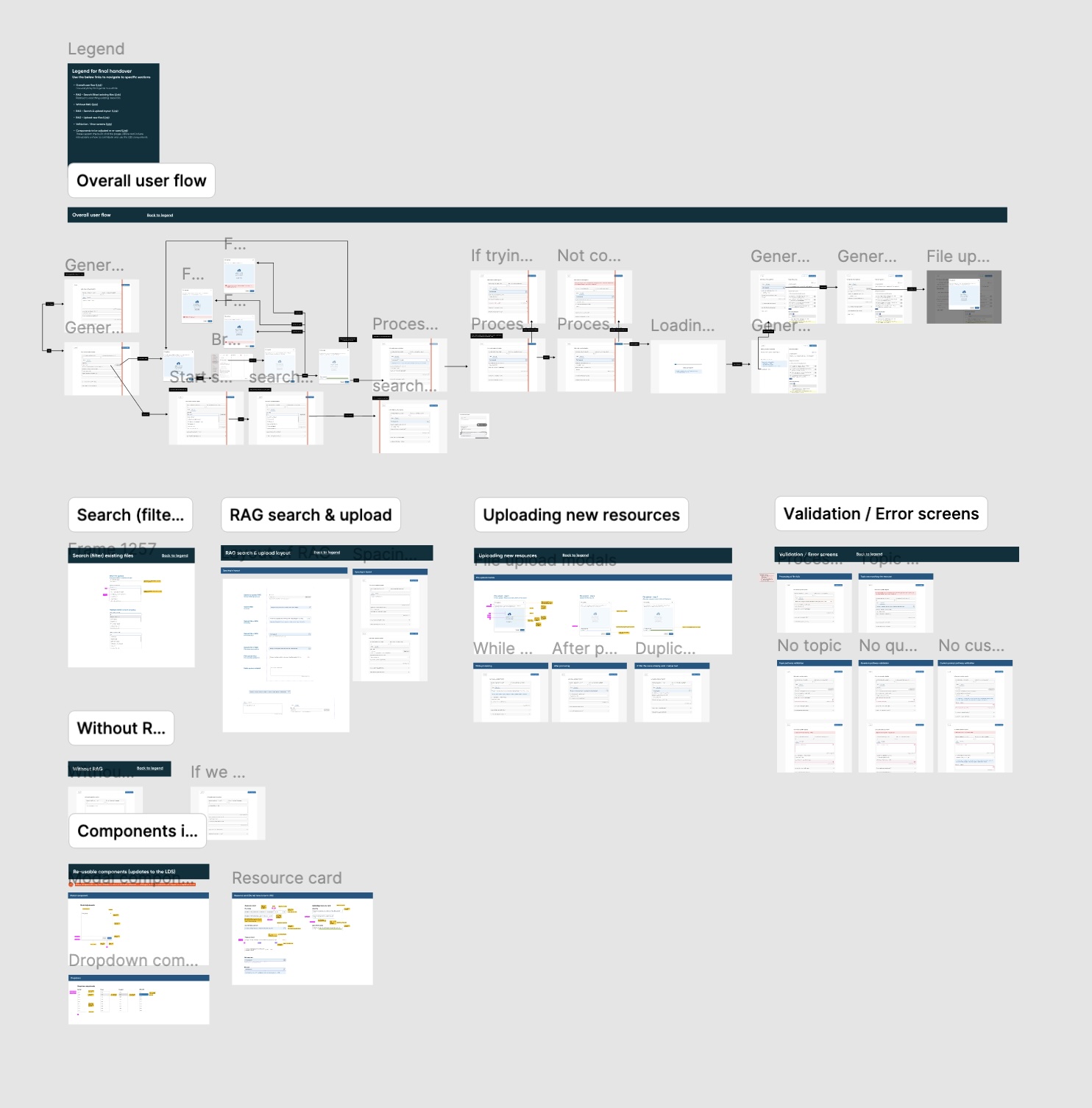
Navigating the Messy Iteration Flow
Mapping Asynchronous Workflows
Understanding the authoring flow required continuous, highly complex structural iterations. By mapping every branch, from empty states and token generation to manual overwrites and error fallbacks, we protected user intent. Mapping these asynchronous states early in the design cycle eliminated endless back-and-forth alignment loops during development, allowing engineering to build out the core infrastructure ahead of schedule.
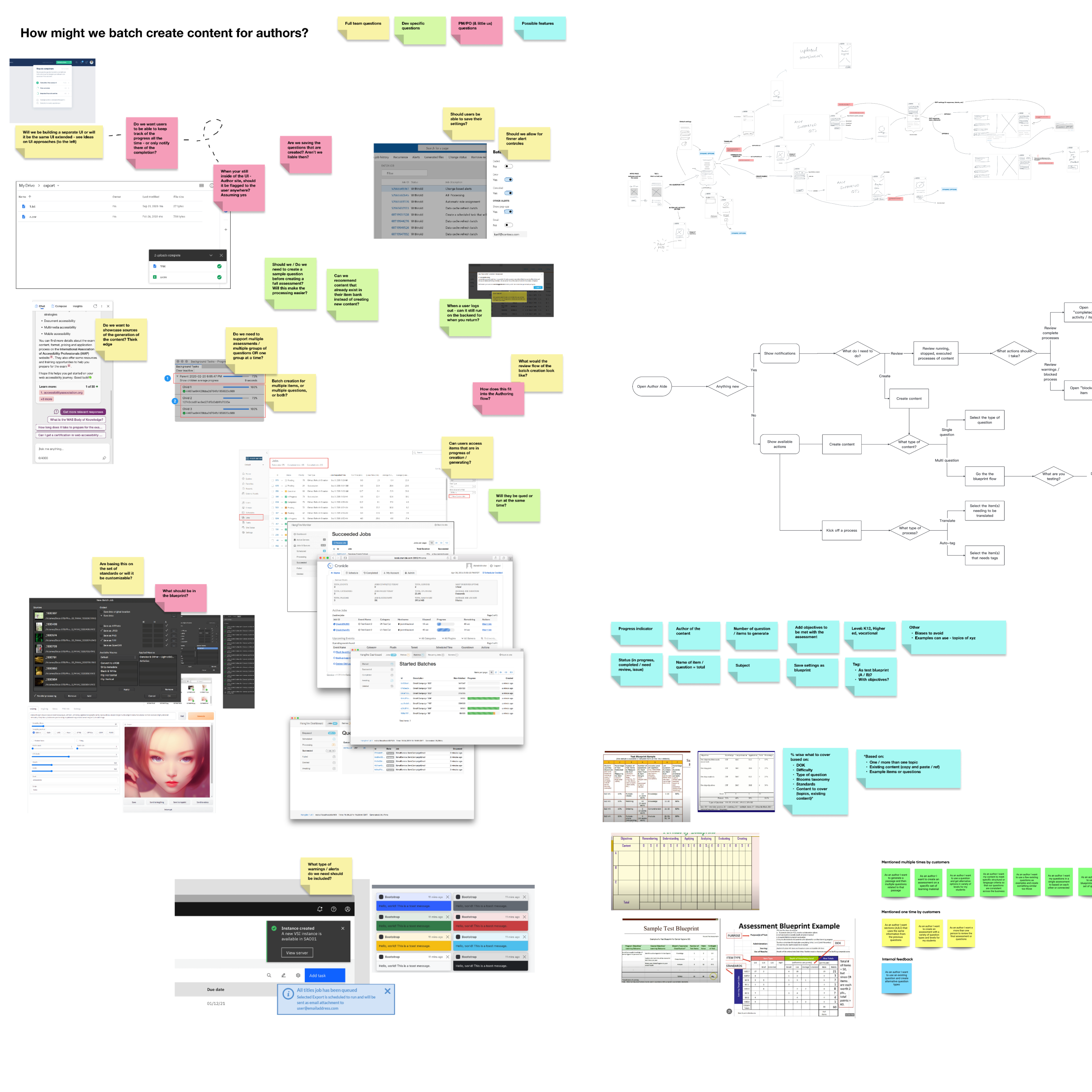
Deep Research Methodology
Journaling, Experts & Defining ROI
To ensure the generative interface solved real authoring pain points, I ran a strict four-phase research operation that moved the feature from an internal prototype to a commercialized product:
- Phase 1 // Baseline Benchmarking: Conducted internal testing with former educators (ex-teachers) and active customers to establish our initial performance baseline and determine the general UX layout approach.
- Phase 2 & 3 // Deep Domain Validation: Transitioned to in-depth validation rounds with multiple global customers, domain experts, and end-users. I utilized a specialized diary/journaling research approach to capture high-quality, long-term qualitative feedback specifically centered around how users engaged with the prompt engineering outputs over time.
- Phase 4 // Commercialized Deployment & Strategy: Our diary studies revealed that content authors spent roughly 40% of their workflows manually drafting distractor questions. By proving that the Author Aide API could automate this with high accuracy, our research provided the exact strategic proof required to justify and structure a premium, paid enterprise subscription tier.
Hands-on Prompt Engineering & Technical UX Guardrails
Taming the Output Quality
Design didn't stop at wireframes. I stepped directly into the code loops to improve the prompt quality myself, writing system prompts and conducting systematic user testing specifically on the raw LLM outputs. This ensured that the generated content met our strict pedagogical, structural, and tone standards before a single UI layout component was finalized.
Handling Intent and Context Thresholds
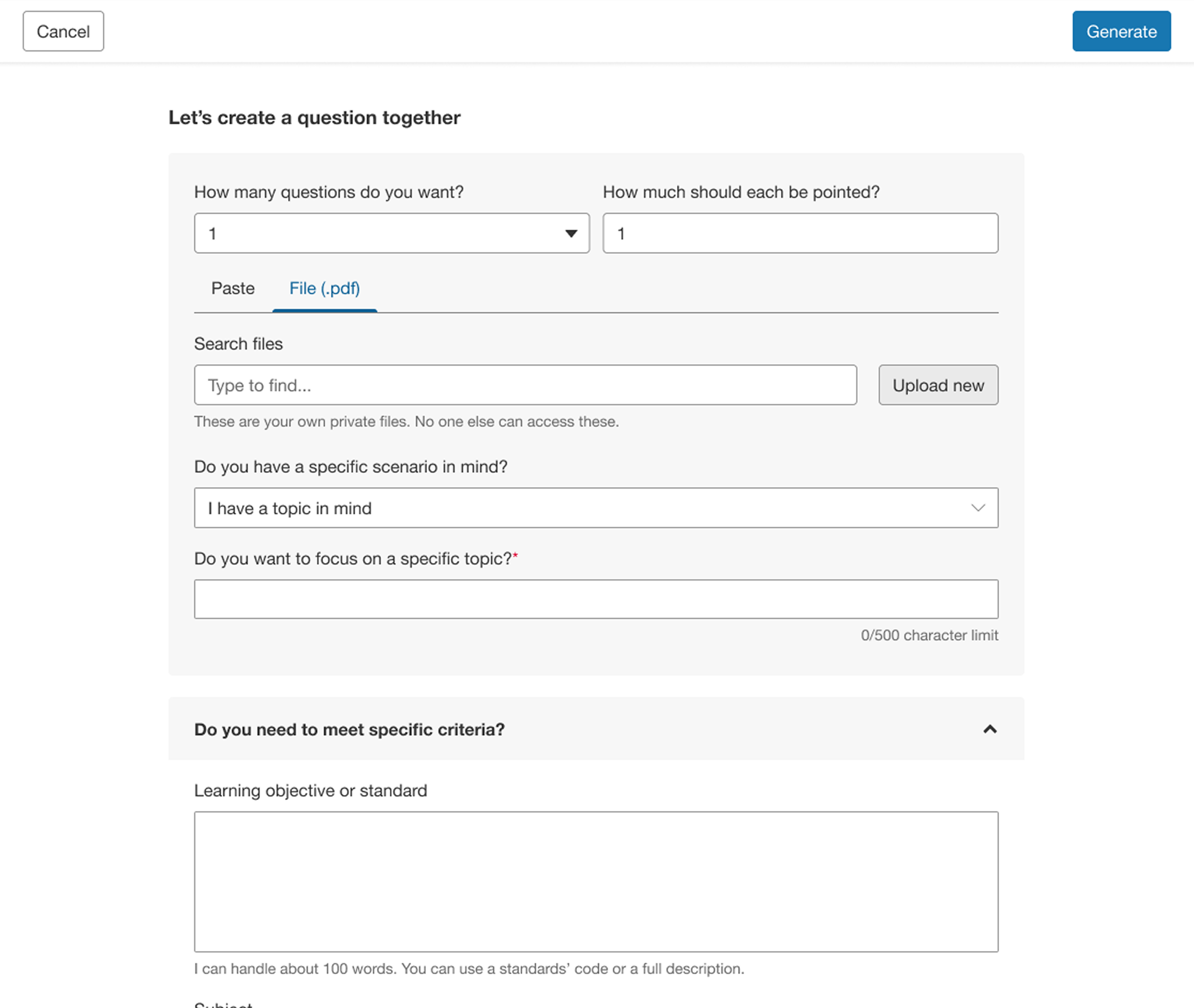
We removed the prompt-crafting burden from the author by engineering clear context limits. The UI restricts open text fields to defined contextual inputs, automatically compiling the user's choices with system-level rulesets behind the scenes before hitting the API endpoint.
Designing for Error States & Hallucinations
When an LLM output fails validation or hallucinates data, the interface avoids generic error code screens. Instead, it introduces clean, modular adjustment panels, providing authors with human-in-the-loop fallback mechanisms to easily refine, tune, or regenerate specific text slices.
Mentorship, Handoff & Scaled Delivery
After stabilizing the foundational UX interaction models, refining the prompt generation quality, and validating the commercial model, I transitioned the day-to-day feature execution to the broader product team. I successfully handed ownership over to a new Lead Product Designer. Today, I maintain a high-level strategic role, guiding and coaching this lead designer in their delivery to ensure all ongoing feature enhancements adhere to strict WCAG compliance guidelines and integrate smoothly with our unified design system primitives.